
The Missing Link: Correlating Google Search Console with AI Visibility
This is the biggest blind spot in marketing in 2026. On one side, your Google Search Console (GSC) shows human traffic. On the other, the ghost traffic from ChatGPT and Perplexity remains invisible. Today, Atyla launches the integration that finally reconciles SEO and GEO.
Tristan Berguer
Co-founder, Atyla
In This Article
1. The Problem: Siloed Data
Until yesterday, you had to juggle between two parallel realities. You could see you were Position 3 on Google for the keyword "Best SaaS CRM". But you were completely unable to know if ChatGPT was recommending your tool for that same query.
The danger? Having an exceptional CTR on Google (strong SEO) but being completely invisible in AI synthetic responses (weak GEO). This is what we call "Technical Visibility Debt".
2. The Solution: Merging SEO and AI Worlds
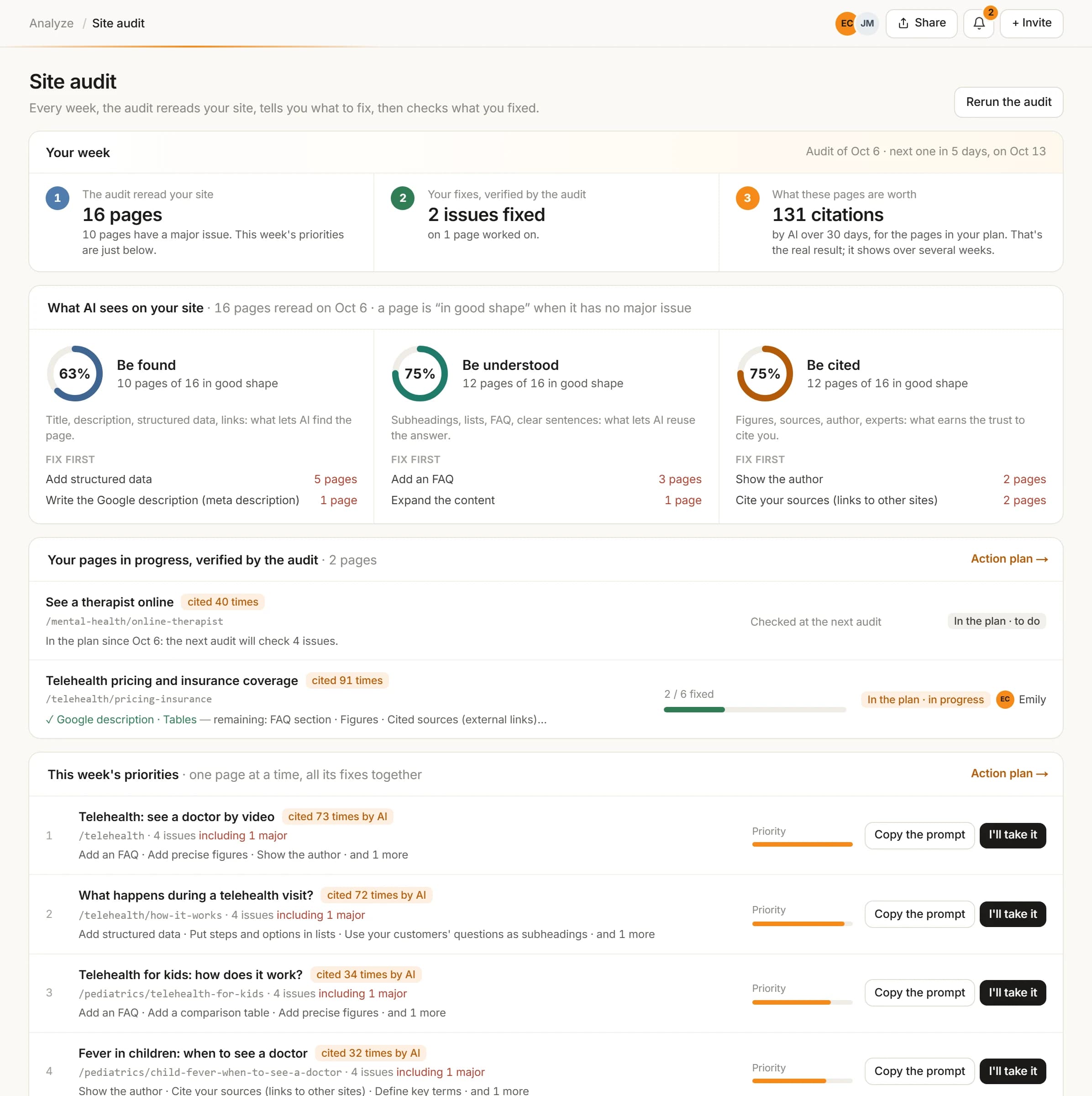
Connect your Google Search Console property to Atyla: your real Google queries are set side by side with the questions you track in AI. That surfaces the topics where you are strong on Google but missing from AI answers, and the site audit matches each page with its Search Console data.
What this reveals instantly:
- ⚠️ Blind Spots:High SEO traffic queries where AI never cites you. (GEO urgency).
- 💎 Trojan Horses:Pages with little Google traffic, but serving as Perplexity's main "Source of Truth".
3. Analysis Matrix: Interpreting the Data
Having access to raw metrics (Clicks, CTR) alongside your AI scores is a game-changer. Here's how to read this new dashboard:
| Metric | Google Reality (Legacy) | AI Reality (Next-Gen) |
|---|---|---|
| Traffic Source | Search Engine (SERP) | Answer Engine (LLM) |
| Main KPI | Clicks & Impressions | Citation Rate & Sentiment |
| Query Type | Short keywords ("CRM Tool") | Complex questions ("Which CRM to choose for...") |
| Goal | Position 1 (Ranking) | Sole Source (Authority) |
4. Tutorial: Connect Your GSC in 3 Clicks
Security: The integration uses Google's official API in "Read-Only" mode. Your data stays private.
- Open the Integrations page in your Atyla workspace.
- Click Google Search Console and grant read-only access.
- Select the property (Website) you want to audit.
- Let Atyla import your Search Console data.
Frequently Asked Questions
Does Atyla modify my Google Search Console data?
No. The integration uses Google's official API in 'Read-Only' mode. Atyla cannot modify your data, only analyze it to provide GEO insights and correlate it with AI responses.
Why do I see clicks in GSC but no citations in Atyla?
That's the SEO/GEO gap. You can rank #1 on Google (GSC) but be invisible in ChatGPT (Atyla). This feature helps you detect and fix exactly that.
Is it compatible with Discover data?
For now, we focus on web Search results as they most directly feed the knowledge bases of LLMs like Perplexity.